
AI tools
Writing, images, video, voice, coding, research and marketing tools.
Explore AI tools →A clearer way to find software
PhoneLabs explores AI tools and everyday software through practical reviews. Get a clearer look at what each product does, who it may suit and what to check before you subscribe.
Explore the site
Choose a section, then narrow your search by the work you need to do.
Writing, images, video, voice, coding, research and marketing tools.
Explore AI tools →Document software and practical tools for work and everyday tasks.
Browse software →Tools for digital products, websites, online business and content creation.
Explore creator tools →Browse by task
Go straight to a focused category instead of scrolling through a long software list.
A useful first step
Before paying for a subscription, look beyond the feature list. Check the limits included in each plan, whether a free trial is available, how the tool handles your files or data, and whether it works with the apps you already use.
Find your category →From the reviews
Explore AI voice and video tools for natural-sounding voiceovers, narrated content and prompt-based video creation.

AI voice & audio
Explore ElevenLabs for AI voice generation, text-to-speech and voiceover workflows.
Read the ElevenLabs review →
AI video
Explore prompt-based video creation with scripts, visuals, AI voiceovers, captions and music.
Read the InVideo AI review →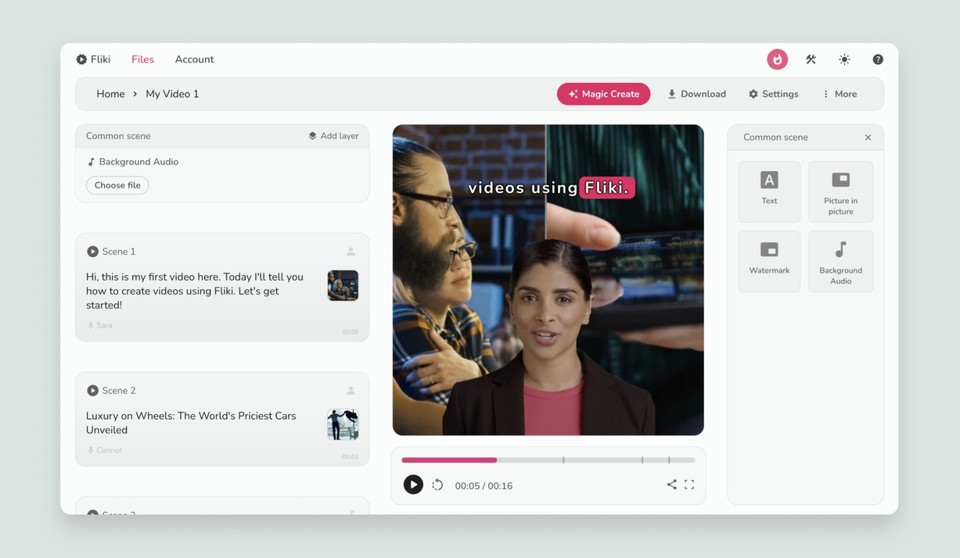
AI video
Explore Fliki for turning scripts and ideas into videos with AI voiceovers.
Read the Fliki review →Common questions
Clear answers to help you find, compare and choose AI tools and software with more confidence.
PhoneLabs covers tools for AI writing, image and 3D creation, video, voice and audio, coding, productivity and research, marketing and SEO, documents, and creator and business workflows. Start with the AI tools directory or browse software and productivity tools.
Start with the task you need to complete and the output you expect. Then compare features, ease of use, editing control, supported languages, integrations, privacy terms, usage limits and total cost. A short test project can help you judge whether a tool fits your actual workflow.
Some providers offer free plans, free trials or limited monthly credits, while others require a paid subscription. Availability and limits vary by product, so check the provider's official pricing page and renewal terms before signing up.
AI video tools help create or edit scenes, clips and complete videos. AI voice tools focus on speech generation, text-to-speech, narration and voiceovers. Creators may use both in one production workflow, but each solves a different part of the job. Explore our AI video tools and AI voice and audio tools.
Yes. Providers can change subscription prices, included credits, model access, features and promotional offers. Treat pricing details as subject to change and verify the current terms directly with the provider before purchasing.
Read the relevant PhoneLabs review to understand the intended use cases, key features, limitations and alternatives. Then compare the official plan details and test the tool with a realistic task whenever a free option or trial is available. You can also read our How We Test page for more about our review approach.
Some links on PhoneLabs are affiliate links. If you click one and make a purchase, PhoneLabs may earn a commission at no additional cost to you. We disclose this relationship so readers can understand how the site may earn revenue. Read our Affiliate Disclosure.
About PhoneLabs
Browse the categories for the big picture, then use reviews to learn about specific software. You can also read how the site approaches its coverage.
Pick the workflow you care about and see which categories and reviews are available.